

 Apprenticeships
 Construction
 Education Tech
 Engineering
 Franchise Networks
 Healthcare
 Legal Firms
 Logistics
 MATs
MATs Recruitment
 Retail
 Seasonal Staff
FrogLMS Community
Back to Widget Guides
Data Viewer

The data viewer widget enables users to embed the data viewer application into a site. With this, you have a little bit more functionality and users can interact with the widget in different ways.
This guide will give you an overview of the following:


Widget: Tutorial
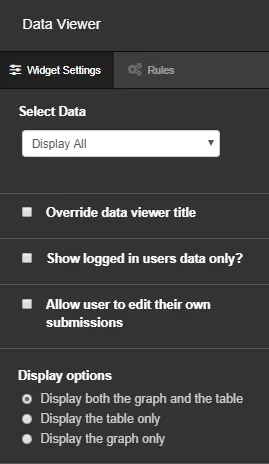
In the edit panel, you can specify what information is displayed. You can choose to display all data, or just specific forms, polls or quizzes.
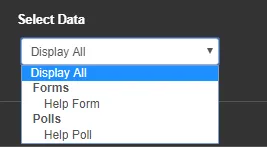
Once you have selected the data, you can then select filters if necessary and the widget will display that filtered information.
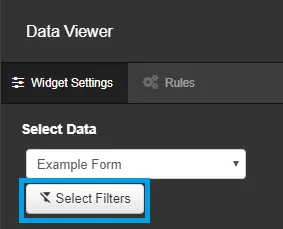
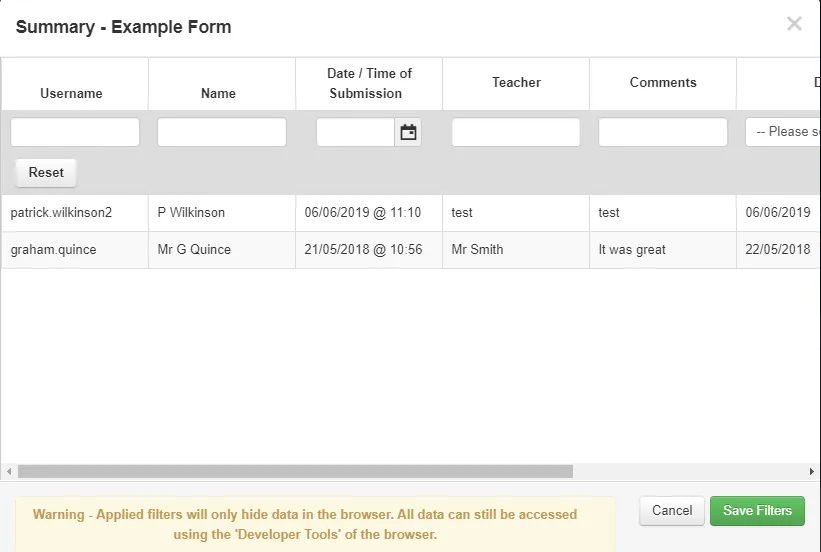
Clicking the 'Select Filters' button will open the filter options.
Below the 'Select Data' field, you have the option to override the data viewer title and show the logged in users data only.
Allowing users to edit their submissions means they can make changes to their data.
You also have the option to change how the Data Viewer is displayed on the page.