


 Apprenticeships
 Construction
 Education Tech
 Engineering
 Franchise Networks
 Healthcare
 Legal Firms
 Logistics
 MATs
MATs Recruitment
 Retail
 Seasonal Staff
FrogLMS Community
Back to Widget Guides
My Learning

The widget allows Vimeo videos to be easily embedded into a site / dashboard.
This guide will give you an overview of the following:

Widget: Tutorial
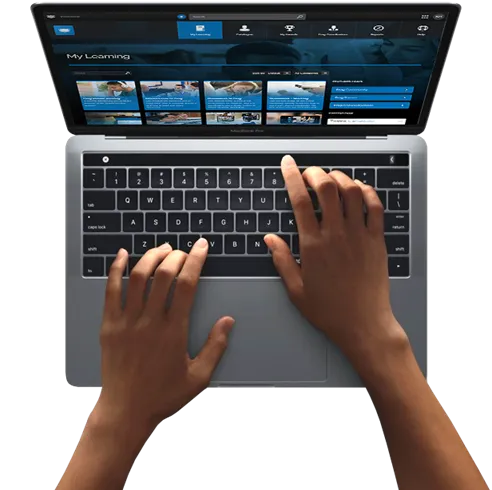
This widget provides a personalised list of modules the Learner has started or has been assigned as mandatory. By default, the list is filtered to the Learner’s To Do list, although there is a status filter for completed modules.
The widget lists Mandatory modules at the top, followed by the optional choices in a row below.
Widget Preferences
Scroll / Grid
The controls how each row of modules is displayed:
- Scroll creates a single line for each category (Netflix-style) which the Learner scrolls through left-right
- Grid displays all the modules for both sections as a grid
Show Title
The widget comes with a title you can set, but you may wish to control the formatting by using a text widget instead. When selected to show a title, an input box appears
ADVANCED SETTINGS
To allow for quick changes to widgets, we often hide additional, more complicated settings in the Advanced sections of widgets.
Show Toolbar
This shows or hides the Search and Filter Dropdown. Hiding these by unchecking Show Toolbar gives you more control over what Learners see and can access.
Apply Category Filter
By default, all categories are listed, but if you select a category from the dropdown then click Add Filter the widget will list only the categories added here.
This can be used if you want to present separate pages for particular categories – such as a page for sales training, so Learners only see the Sales category on that particular page.
Apply Keyword filter
Much like the category filter, this option allows you to add keywords (available to add to a module in the Add to Category options). Type in the words you wish to use, with commas separating them and click Add Keyword.
Mandatory Label & My Choices Label
The Mandatory flag on a module might be the operational term, but the terminology might not suit your company ethos. These titles appear within the widget but using these settings you can alter them.